Features
Menus
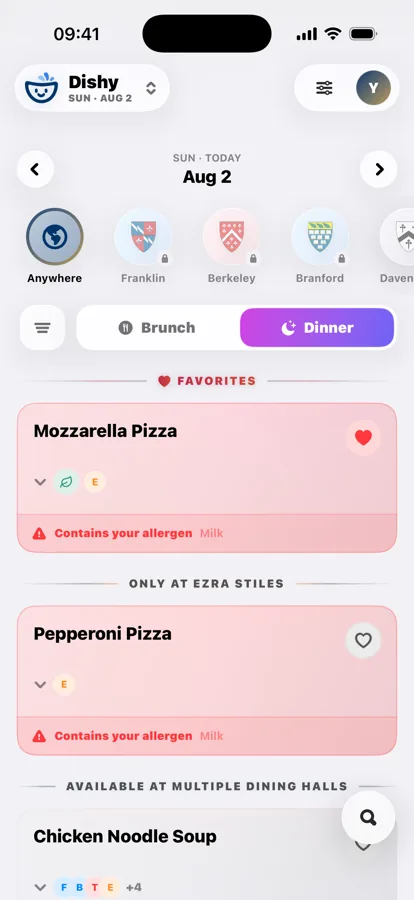
Anywhere mode merges every hall into a single list, so you can see who has the good thing tonight without opening five screens. A dish served at three halls collapses into one row that names all three. Sections tell you what is only at one place, today’s specials float to the top, and your favorites sit above everything.
- Day-by-day stepper, back to today with a long press
- Breakfast, brunch, lunch, dinner and late night
- Specials and favorites surfaced first
Safety
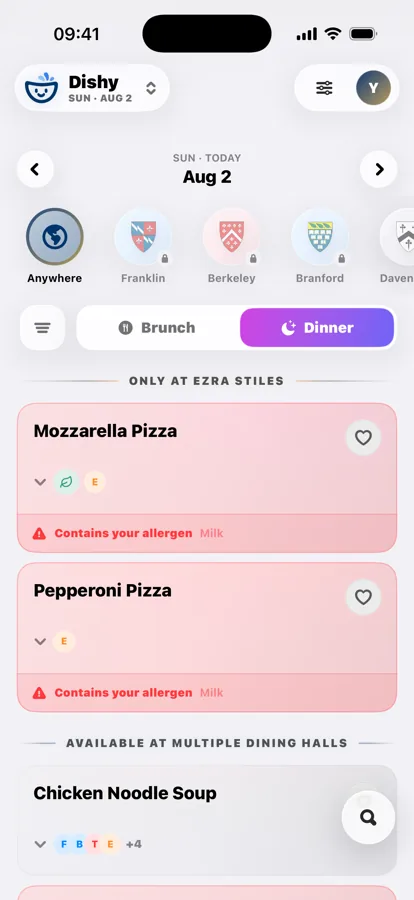
Set your allergens once and any dish containing one changes color on the card and carries a count. Dishes that only share equipment are called out separately as traces. Dietary filters for vegan, vegetarian, gluten-free, halal and no-beef narrow the entire day at once, and the no-beef filter knows the difference between beef and mock beef.
- Direct allergens and shared-equipment traces
- Up to five dietary filters, depending on the school
- Ingredients and nutrition where published
Search
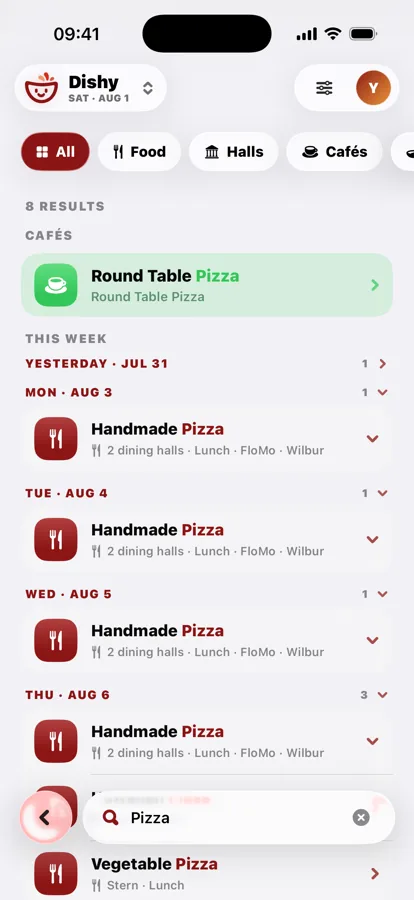
Typo-tolerant, with a “did you mean?” nudge when a query lands badly. Ask for “italian”, “spicy” or “vegan” and Dishy matches on cuisine and concept rather than just dish names. Results run across the whole week, with a badge when something is also served on another day.
- One-tap chips: Pizza, Vegan, Coffee, Dessert
- Matches dishes, halls and cafés
- Spans the week, not just today
Dining & Map
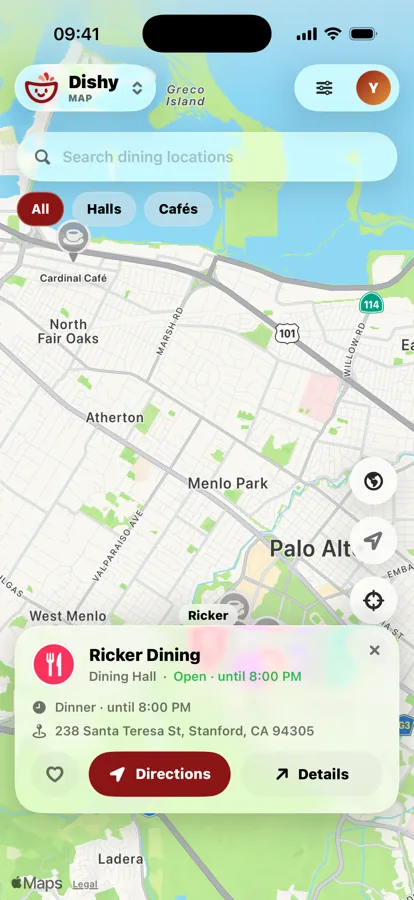
Dining lists every hall and café with hours and whether it is open right now. The map plots them all on a full-screen campus view. Closed spots dim so the open ones pop, and tapping a pin opens a glass card with hours, the address and walking directions.
- Open / closed at a glance, on the campus clock
- Sort by what’s nearest to you
- Walking directions and ETA
Every meal, every day
Breakfast, brunch, lunch, dinner and late night. Dishy opens on whichever one is being served right now.
The meal picker only ever shows the meals a hall is actually serving that day, and it reads the campus clock rather than your phone’s, so a menu you check from another time zone still makes sense. Weekend breakfast and lunch fold into brunch where the school does the same.
Filters that stick
Set vegan, vegetarian, gluten-free, halal or no-beef once and every menu you open narrows to it.
Your filters narrow the whole menu, Favorites section and Anywhere list included, and stay set until you clear them. Each school only offers the filters its dining service actually publishes, and the no-beef filter recognizes dozens of real beef dishes while letting plant-based and mock “beef” through.
Allergen warnings
Your allergens are flagged on the card, before you tap in.
A dish that contains one of your allergens changes color and carries a count; one that only shares equipment is called out separately as a trace. Both appear on the card itself, so you never have to open a dish to find out it is not for you.
Works with no signal
The last menus you loaded stay readable in a basement.
Dishy caches locations, dates and up to 48 recent menus on the device. Lose signal and a glass bar tells you you are offline and when the data was last updated, then collapses out of the way, and the app keeps working.
Home screen widgets
Four widgets: what’s open, what’s up next, today’s specials and a dining glance.
Pick a size and tap through straight to the right screen in the app. Widgets show the last snapshot Dishy saved, so open the app once a day to keep them current.
Make it yours
Thirteen full-screen backgrounds and a campus-colored app icon.
Sunset, Aurora, Lagoon, Peach, Nightfall, Forest, Dune, Berry, Graphite, Citrus, Ocean, Campus or Subtle, in light or dark. Then give Dishy a home-screen icon in your school’s colors, cream or solid.
Built for iPad too
A real iPad layout, not a stretched phone.
Dishy reshapes for the bigger screen with a Liquid Glass sidebar you can swipe between, jump-to-station shortcuts, and the Columns layout that puts one dining hall per column so you can compare them at a glance.